Bingetrax IPTV is an internet-delivered television and on-demand streaming service promoted for use across Smart TVs, Fire TV devices, Android hardware, phones, tablets, computers, and compatible TV boxes. The current Bingetrax.tv website offers subscription durations from one to twelve months and lets buyers select between one and five simultaneous connections.
The important question is not simply how many channels or movies a provider advertises. Before choosing an IPTV subscription, you should understand its pricing, connection limits, device compatibility, third-party player requirements, trial conditions, and refund policy.
This Bingetrax IPTV guide covers each of those points using information currently published by bingetrax.tv as of August 2026.
Table of Contents
Table of Contents
What Is Bingetrax IPTV?
Bingetrax IPTV is presented on Bingetrax.tv as a subscription-based streaming service providing organized access to live television categories and on-demand entertainment through compatible internet-connected devices and player applications.
Unlike traditional cable delivery, an IPTV setup relies on an internet connection and compatible software to display the available categories and streams.
Bingetrax.tv currently structures its commercial offer around two main variables:
- Subscription duration
- Number of simultaneous connections
The website also provides separate pages for Bingetrax trial requests, device setup instructions, technical support, and checkout.
One important search consideration is that several Bingetrax-branded websites appear online with different offers. Buyers should verify the exact domain they are using rather than assuming every site using the Bingetrax name has identical pricing or policies.
What Does Bingetrax IPTV Include?
The current Bingetrax.tv homepage advertises:
- 42,000+ live channel listings
- 125,000+ movies and series
- Sports and event categories
- HD, Full HD and 4K support
- EPG compatibility
- Catch-up compatibility where available
- Multiple device categories
- Setup guidance
- Technical support access
These catalog totals are provider-published figures, not independently audited measurements. The Bingetrax Terms also state that categories, schedules, guide information, technical routes, quality levels, and individual items can change and should not be interpreted as permanently guaranteed.
That distinction matters.
A buyer should evaluate whether the service works with the device, connection count, application, network, and categories they actually need instead of deciding solely from a large advertised catalog number.
Bingetrax IPTV Pricing
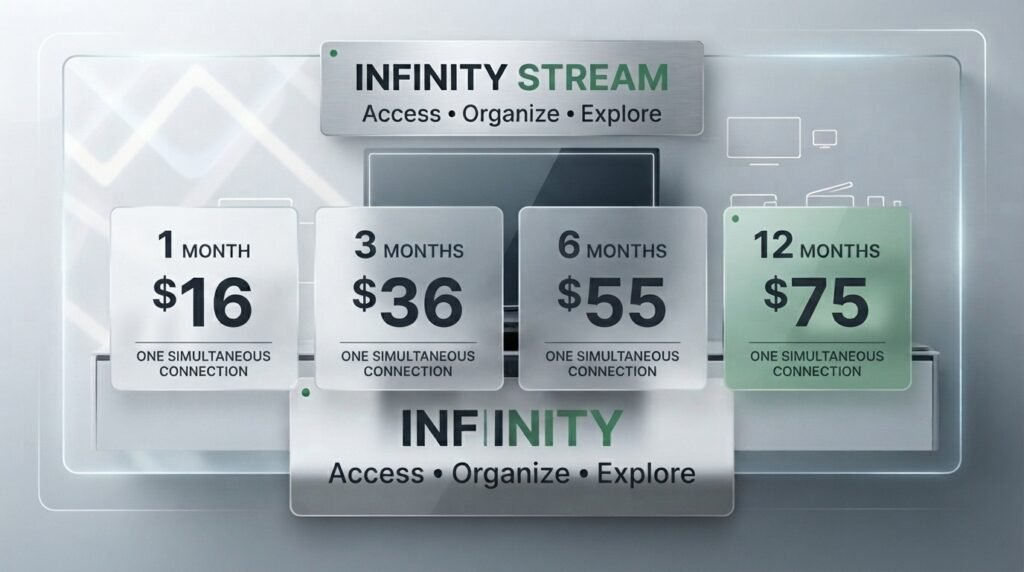
The current Bingetrax IPTV pricing displayed for one simultaneous connection is:
| Subscription | Current Price | Connections | Approx. Monthly Cost |
|---|---|---|---|
| 1 Month | $16 | 1 | $16.00 |
| 3 Months | $36 | 1 | $12.00 |
| 6 Months | $55 | 1 | $9.17 |
| 12 Months | $75 | 1 | $6.25 |
The effective monthly figures above are simple calculations from the current listed one-device totals.
Bingetrax also currently provides selectors for 1, 2, 3, 4, or 5 simultaneous connections. Pricing changes according to the combination selected, so the final checkout total should be reviewed before payment.
The Bingetrax checkout page currently shows the selected duration, device/connection configuration, and one-time order total before the customer completes the order details.
Which Bingetrax IPTV Plan Should You Choose?
Choose by expected usage rather than automatically selecting the longest subscription.
1 Month
Best suited to a buyer who wants a shorter initial commitment after checking device compatibility.
3 Months
A middle option for someone who has already verified the setup but does not want a six- or twelve-month commitment.
6 Months
More suitable when you already understand the service, application, device, and connection requirements.
12 Months
The current one-device annual plan has the lowest effective monthly cost among the listed durations, but it also involves the largest upfront commitment.
For a first-time user, compatibility should usually be established before selecting a longer duration.
Bingetrax provides a dedicated trial request page specifically for testing compatibility.
How Simultaneous Connections Work
A connection is not the same thing as an installed device.
Bingetrax’s current Terms define one connection as one permitted active stream at a time. Installing a compatible player on several devices does not automatically permit them all to stream simultaneously.
For example:
| Household Use | Suggested Connection Count |
| One screen watching at a time | 1 |
| Two screens regularly watching simultaneously | 2 |
| Three active screens at the same time | 3 |
| Four simultaneous screens | 4 |
| Five simultaneous screens | 5 |
The correct count depends on simultaneous viewing, not the total number of televisions, phones, or tablets in the home.
Selecting more connections than required raises the total without improving the quality of a single stream, according to the current trial guidance.
Is a Bingetrax IPTV Trial Available?
Bingetrax currently provides a Bingetrax IPTV trial request intended to let potential customers evaluate device, application, login, network, and connection compatibility before purchasing a longer subscription.
The site states that trial availability and conditions can change.
A useful test should answer these questions:
- Does your player accept the supplied account information?
- Do categories load correctly?
- Can you navigate normally?
- Does playback work on your primary television or device?
- Does available EPG information refresh?
- Does your normal home network handle playback satisfactorily?
- Do you need one connection or several?
- Is the application itself suitable for your device?
The trial page also makes an important distinction between the Bingetrax account and a third-party player application.
A compatible player can have advertising, a one-time purchase price, or its own recurring fee. Those costs are controlled by the application developer or app store and are separate from the Bingetrax account unless explicitly stated otherwise at checkout.
Bingetrax IPTV Device Compatibility
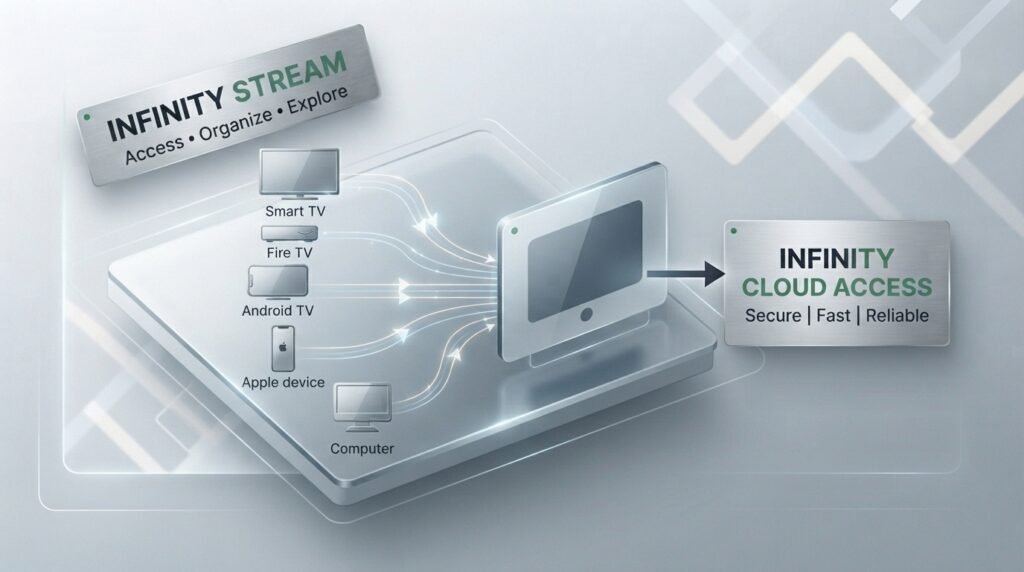
Bingetrax currently provides setup guidance covering Smart TVs, Amazon Fire TV, Android devices, Apple devices, computers, and compatible television boxes.
The important principle is:
Bingetrax IPTV access and the player used to display that access are separate components.
The streaming player can be maintained by an independent developer, and its interface, pricing, availability, or compatibility may change separately from Bingetrax.
Amazon Fire TV
Fire TV users should first complete the normal Fire TV setup and check for compatible applications through trusted sources.
Amazon’s official documentation states that Fire TV users can search for applications from the Fire TV menu and download available apps directly to the device.
Amazon also specifically states that Fire TV can disable applications identified as providing access to unlicensed content, reinforcing the importance of using applications and content sources responsibly.
For Bingetrax-specific configuration, use the official Bingetrax setup guide.
Android TV and Android Devices
Android users can obtain compatible applications through Google Play when those applications are available for their hardware and region.
Google’s official documentation explains that users can search Google Play, choose an app, and select Install or its displayed price. Google Play can also indicate whether an application is compatible with a particular device.
This is especially useful for Android TV because an application designed only for phones may not provide a good television-and-remote interface.
Smart TVs
Bingetrax lists Smart TVs among its supported device categories, but actual player availability depends on the television model, operating system, region, and application store.
Before purchasing:
- Open the television’s app store.
- Search for a compatible player.
- Check that the application supports your TV model.
- Check whether it carries a separate charge.
- Verify enough storage is available.
- Test your network connection.
An older Smart TV can behave differently from a recent Fire TV or Android TV device even on the same internet connection.
Apple TV, iPhone and iPad
Apple users should check the official App Store for compatible applications.
Apple’s official Apple TV documentation states that users can open the App Store, search for an application, and choose its price or Get button.
On iPhone and iPad, applications are similarly obtained through Apple’s App Store.
Any player fee charged through Apple’s App Store remains separate from the Bingetrax subscription unless the Bingetrax checkout explicitly states otherwise.
Computers and TV Boxes
Compatibility depends on the operating system and selected player.
Before subscribing, confirm:
- Operating-system support
- Application availability
- Login-format support
- Available storage
- Stable network access
- Required number of simultaneous connections
Do not install modified or “unlocked” players from unknown download websites merely to avoid an application charge. Bingetrax’s own setup and trial pages recommend official app stores or developer sources because unknown files can create security and privacy risks.
How to Set Up Bingetrax IPTV
The precise screens vary by application, but the normal setup flow is straightforward.
- Prepare a supported Smart TV, Fire TV, Android device, Apple device, computer, or compatible TV box.
- Obtain a compatible player from a trusted source.
- Keep the Bingetrax account information delivered after activation.
- Open the player.
- Select the compatible login method.
- Enter the supplied information exactly.
- Save the profile.
- Allow the initial categories to refresh.
- Refresh available guide information.
- Test playback using your normal internet connection.
Bingetrax’s current setup guide explains that account information can include a username, password, server information, or another supported login format depending on the configuration.
Do not publish or share account credentials publicly. The current Bingetrax Terms place responsibility on the account holder for keeping delivered credentials private and prohibit unauthorized redistribution or resale.
Internet Connection and Streaming Quality
Streaming quality is not determined by the subscription alone.
Performance can also depend on:
- Internet bandwidth
- Wi-Fi signal quality
- Network congestion
- Other household downloads
- Device processing power
- Player application
- Selected stream quality
- Internet routing
The U.S. Federal Communications Commission publishes broadband guidance showing that video streaming requires increasing bandwidth as video quality and simultaneous household usage increase.
If playback is inconsistent on Wi-Fi, testing the same device through Ethernet can help identify whether the local wireless network is contributing to the problem.
Do not assume that an advertised “4K” capability means every item will always be available in 4K or that every internet connection can reproduce it consistently. Bingetrax’s own Terms state that quality levels and service availability can vary.
Bingetrax IPTV Pros and Limitations
| Potential Advantage | Important Limitation |
| 1-, 3-, 6- and 12-month durations | Longer plans require more upfront commitment |
| 1–5 simultaneous connection options | Price increases with selected configuration |
| Trial request available | Availability and duration can change |
| Broad device compatibility | Specific apps can vary by device and region |
| Setup documentation | Some configurations may still require support |
| EPG compatibility | Guide data may not always be available |
| Catch-up compatibility | Availability depends on the selected category/channel |
| HD, Full HD and 4K support | Actual quality depends on source, device and network |
| Technical support | Response time may vary |
| One-month starting option | Refund conditions still need review |
This is a more useful way to evaluate Bingetrax IPTV than treating every marketing feature as an unconditional guarantee.
What to Check Before Buying Bingetrax IPTV
Check the Exact Domain
Search results contain multiple websites using similar Bingetrax branding and publishing different offers. Verify the exact website before entering personal or payment information.
This article refers specifically to Bingetrax.tv.
Check Your Primary Device
Do not test only on your phone if you intend to watch primarily on a Smart TV.
Test the actual device and application you expect to use regularly.
Calculate the Correct Connection Count
One connection means one active stream.
If two people regularly watch different streams simultaneously, a one-connection plan does not match that use.
Review the Final Price
The total displayed in the final order summary controls the proposed transaction, according to the current Bingetrax Terms.
Review your configuration on the Bingetrax checkout page before payment.
Review Refund Conditions
Bingetrax currently publishes a three-calendar-day refund request window after initial activation or delivery for eligible requests, subject to the full policy and any mandatory legal rights.
The policy says refund review can consider timing, order status, the reason for the request, and whether a technical issue was given a reasonable opportunity to be diagnosed.
Read the complete Bingetrax refund policy before selecting a longer plan.
Keep Purchase Records
Save your:
- Order confirmation
- Selected plan
- Payment record
- Activation date
- Support correspondence
- Refund-policy information
The U.S. Federal Trade Commission recommends checking seller information and refund policies before online purchases and keeping relevant purchase information.
Common Bingetrax IPTV Problems
Authentication Failed
An authentication error can result from incorrect login information or configuration.
Check:
- Username
- Password
- Server information
- Accidental spaces
- Capitalization
- Player compatibility
- Account activation
Bingetrax support recommends entering the original supplied information carefully and providing the exact error message if support is required.
Playlist Not Loading
First determine whether the issue is with the account, player, device, or network.
Check:
- Whether another website or application loads.
- Device date and time.
- Login information.
- Application updates.
- Network connection.
- Whether another supported player behaves differently.
Changing one variable at a time makes troubleshooting more useful than changing several settings simultaneously.
EPG Not Working
If streaming categories load but program-guide information does not, the account itself may still be functioning.
Try:
- Manual EPG refresh
- Playlist refresh
- Checking device time zone
- Restarting the application
- Checking for application updates
Bingetrax support specifically asks users reporting missing guide information to provide the player name, app version, device time zone, and result of a manual EPG refresh.
Buffering or Playback Problems
Buffering can originate from multiple parts of the viewing chain.
Test:
- Wi-Fi versus Ethernet
- Another available stream quality
- Another category
- Device restart
- Router restart
- Other household downloads
- Another compatible player
Bingetrax support recommends reporting whether the issue affects one item or every category and whether the device uses Ethernet or Wi-Fi.
Who Should Consider Bingetrax IPTV?
Bingetrax IPTV may be worth evaluating for users whose priorities include:
- Multiple subscription durations
- Choice of simultaneous connections
- Smart TV and streaming-device compatibility
- Trial-based compatibility testing
- Setup documentation
- Technical assistance
The strongest purchasing decision comes after verifying your primary device and normal home network.
For a new user, the Bingetrax trial page provides a way to check compatibility before moving toward a longer commitment.
Users who already know that their device, application, connection requirements, and network work properly can then compare the current Bingetrax IPTV plans and choose the appropriate duration.
FAQ
What is Bingetrax IPTV?
Bingetrax IPTV is presented by Bingetrax.tv as an internet-delivered subscription service providing access to organized live television and on-demand categories through compatible player applications and devices.
How much is Bingetrax IPTV?
For one simultaneous connection, Bingetrax.tv currently lists $16 for one month, $36 for three months, $55 for six months, and $75 for twelve months. Multi-connection pricing can differ.
Does Bingetrax IPTV have a trial?
Bingetrax currently operates a dedicated trial-request page for compatibility testing. Trial availability and conditions may change.
What devices support Bingetrax IPTV?
The current Bingetrax setup guide covers Fire TV, Android TV and Android devices, Smart TVs, Apple devices, computers, and compatible TV boxes. Specific player availability depends on the device and app store.
Can Bingetrax IPTV work on multiple devices?
Applications can be installed on compatible devices, but simultaneous playback is governed by the purchased connection count. One connection permits one active stream at a time.
Does the Bingetrax subscription include the player application?
Not necessarily. Third-party player fees are separate unless checkout expressly states otherwise.
Does Bingetrax IPTV support 4K?
Bingetrax.tv advertises HD, Full HD, and 4K support. Actual available quality can depend on the source, device, player, network, and current availability.
What is the Bingetrax refund period?
The current published policy describes a three-calendar-day request window after initial activation or delivery for eligible requests, subject to the full policy and applicable mandatory rights.
Which Bingetrax IPTV plan is best?
For first-time users, a trial or shorter commitment gives you an opportunity to verify compatibility first. Longer plans provide a lower effective monthly price under the current one-device pricing but require greater upfront commitment.
Where can I get help with Bingetrax IPTV?
Bingetrax provides an official contact and support page for pre-purchase questions, orders, account issues, setup, login errors, playback problems, and guide-data troubleshooting.
Conclusion
Bingetrax IPTV currently combines several subscription durations, one-to-five simultaneous connection options, broad device guidance, trial requests, setup documentation, and technical support. The one-device plans currently range from $16 for one month to $75 for twelve months.
The most important step is verifying compatibility before making a longer commitment. Confirm the exact domain, test your primary device, understand the connection limit, review any separate player costs, and read the current refund terms.
Start with the Bingetrax IPTV trial when compatibility still needs to be tested. Once the setup matches your requirements, compare the current Bingetrax IPTV subscription plans and review the exact configuration through Bingetrax checkout.